
Use Attendance Helper
Each week
Section titled “Each week”- Click the extension icon. The popup shows how many codes it has found this week, for example 4/5.
- Click Find codes now for a fresh scan. When it finishes, the confirm page opens.
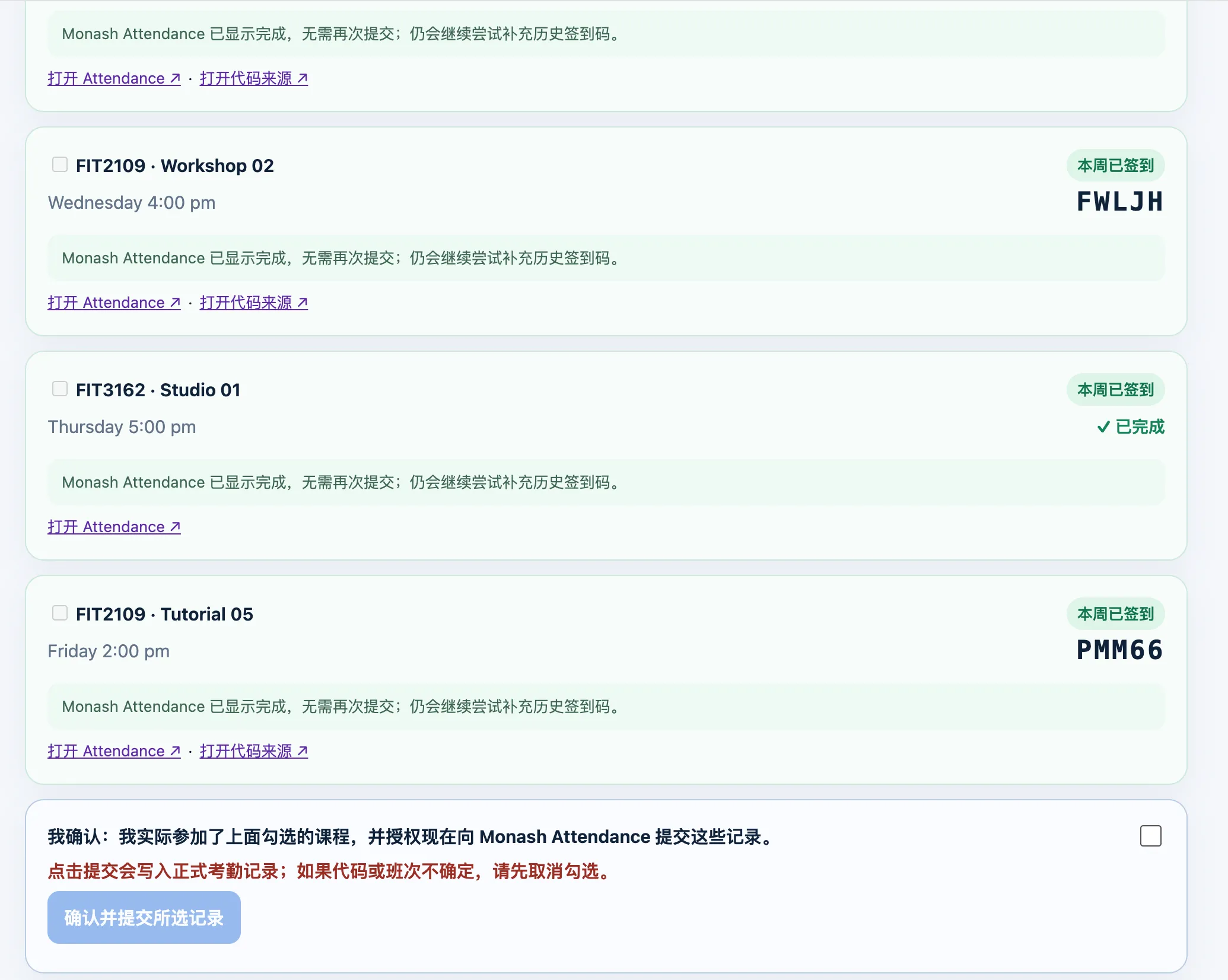
- Each class has a checkbox, its day and time, its status and the code once found.
- Tick the classes you actually attended, tick the declaration at the bottom, and click Confirm and submit selected records.
- It fills in each code, submits it, then reopens that day in Attendance to check the class really shows as done. Each class gets its own result line. Anything that did not go through is left for you to enter by hand.
A reminder at the times you set opens the same confirm page, so you do not have to remember.
What the statuses mean
Section titled “What the statuses mean”| Status | Meaning |
|---|---|
| Completed | Attendance already shows it done. It cannot be submitted again |
| Not started | The class has not reached its start time. A code found early is shown for information only |
| High confidence | A likely-correct code, ready for you to check and submit |
| Needs review | A candidate you must confirm. Other readings are shown, for example W47VD / W4ZVD |
| Not found | This week, the teacher has probably not posted it yet. Last week, worth checking by hand |
Fix a missed class from earlier in the semester
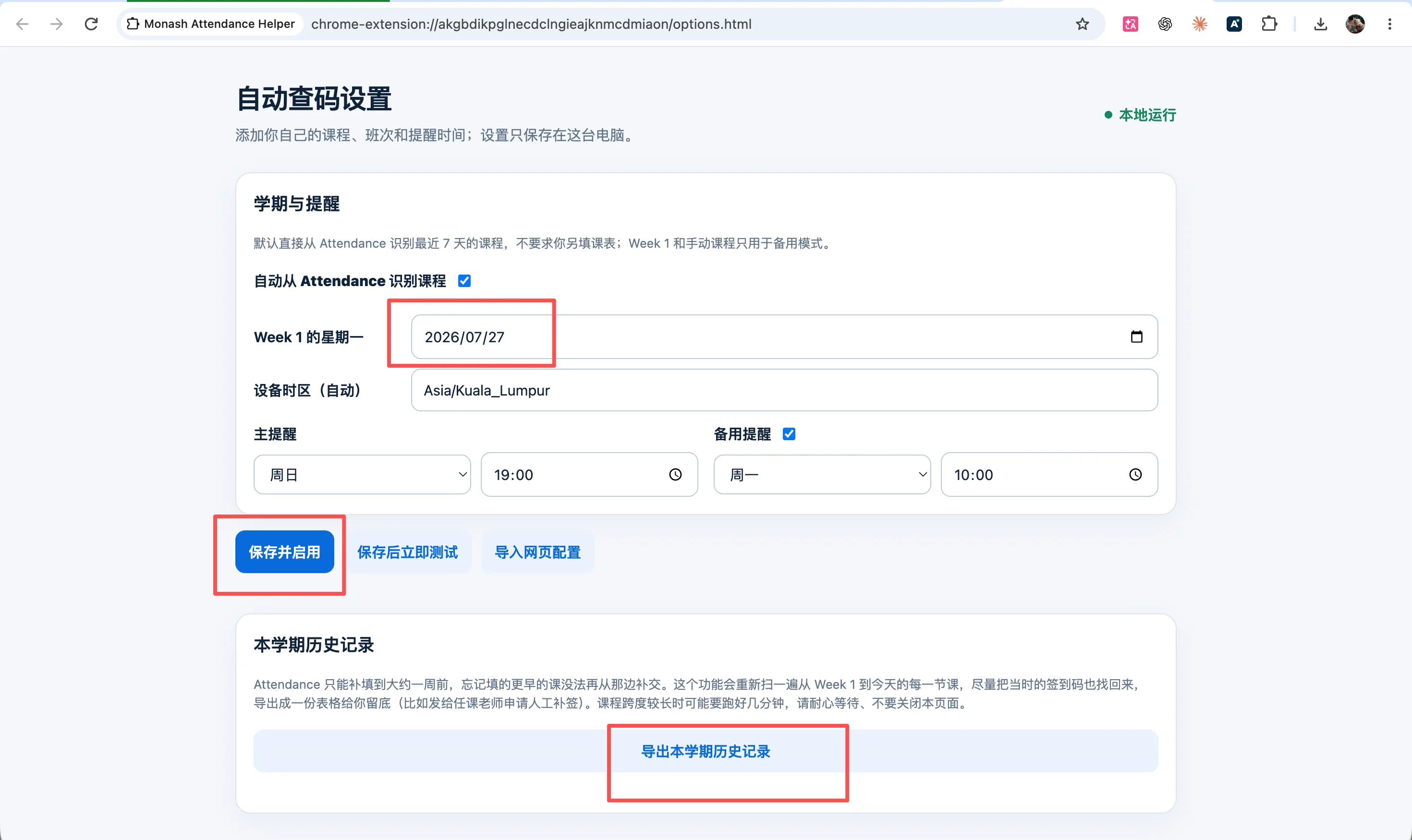
Section titled “Fix a missed class from earlier in the semester”Attendance usually only accepts a code up to about a week late. If your percentage looks low, open Settings and click Export semester history. It rescans every class from Week 1 to today and downloads a spreadsheet you can keep or send to your unit coordinator. Week 1 Monday must be set, and it can take a few minutes.
Limits
Section titled “Limits”- Each Chrome profile is set up separately.
- If a login expires, sign in again in that profile.
- Text recognition can misread. Check anything marked for review.
- Only Word (.docx) attendance files are read, not PDFs.
- It only looks up to the end of the current week.
- A unit that posts codes in an unusual way may not be found.